


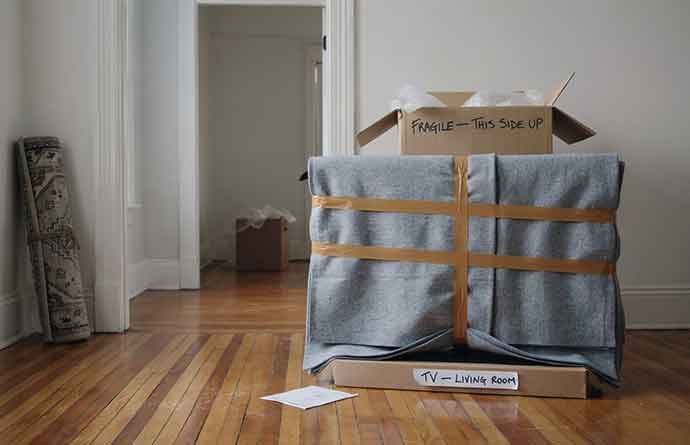
Televisions are one of the most frequently damaged items during a home move.
But before we get into how to pack a TV, you should know that any item that you pack yourself is rarely covered by insurance, so check your insurance policy very carefully.
Additionally, if you hire a mover to relocate your belongings and opt for their standard insurance, you will only get 60 cents per pound. In no way will that cover the replacement cost of your TV should it get damaged.
For that reason, always opt for Full-Value Protection insurance.
So, with that very important advice out of the way, let’s find out how to give your TV set the maximum protection during your move.
You may also like to read: Home Moving Insurance. Ensure that your TV is properly insured during your move. This guide explains all you need to know about home moving insurance.
How to Prepare a TV for Packing and Moving
Whether your television is mounted to the wall or sits on a base, there are several important steps to take before you can pack the electronic device for moving:
1. Take photos
Take several pictures of the wiring and cables connecting the TV to its accessories (DVD players, game consoles, sound systems, antennas, etc.) and the power supply.
Store the photos on your phone or tablet (or print them and pack them with the TV), so you can refer to them when reconnecting your TV in your new home.
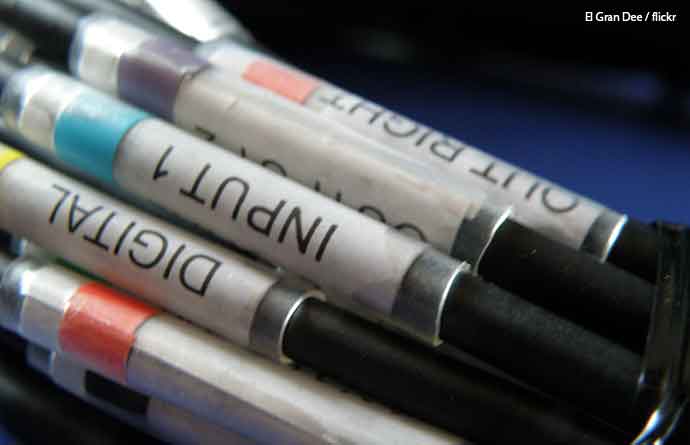
2. Label the cables
Put a piece of colored tape above an input on the TV and wrap a piece of matching tape on the cable that should be connected there.
Alternatively, you can write “Power”, “PlayStation”, etc. on pieces of white painter’s tape and secure them to the cables and the corresponding ports.
This will help you identify which cables go where when setting up your home theater after the move.
3. Disconnect the power
Unplug all cords and wires from the power supply.
4. Unplug all connected devices
Unplug any accessories and home theater components.
Unplug each device one at a time, coil up the cable, and secure it with a twist tie to prevent tangling.
If any of the cords can’t be removed, attach them to the back of the TV with painter’s tape (never tape directly to the screen as the adhesive can damage the delicate surface).
5. Pack up cords and small TV accessories
Place all cables and small TV accessories (such as the remote) in a separate box.
It might seem like a good idea to pack the cables in the box with the TV, but they could shift around during the move and cause damage.
Seal the box with the cords and label it with its contents and the room where the TV will be located, so it’s easy to find when setting the system back up.
6. Clean all TV accessories
Clean all TV accessory devices with a microfiber cloth, wrap them in packing paper and a protective wrap, and pack them in sturdy moving boxes together with their power cords, remote controls, and manuals.
Don’t forget to remove the batteries from all the remotes.
7. Dismount the TV
It’s not a good idea to try to take down a flat-panel TV by yourself.
If your unit is mounted on the wall, you need to first remove it from the bracket.
Don’t even think of removing the bracket with the TV attached to save time; you can easily damage the wall, damage the television, and/or hurt yourself if you attempt to do so.
Refer to the manual to see how the TV is attached and how it can be safely removed from the mount.
Ask someone to help you take down the TV; even if it is relatively light, a large flat screen can be awkward to handle by yourself. Lift the TV slowly and carefully and put it someplace flat and safe.
Make sure you place all screws and small hardware parts in a sealable plastic bag and attach it to the TV mount or pack it in the box with the cables and the remote so that everything is in one place.
8. Remove the bracket from the wall
Next, you need to deal with the bracket. Remove any bolts and anchor screws that keep it attached to the wall, place them in a zip-lock bag, and pack all parts together in a moving box.
9. Remove the TV from the base
If your TV sits on a stand or atop an entertainment center, you’ll only need to detach the base/stand.
Once again, be sure to store all screws, bolts, etc. in a sealable bag.
Wrap the base in bubble wrap® and pack it separately.
10. Clean the TV
Dirt and dust particles can scratch the screen or damage the internal electronics of your TV during the relocation, so you’re advised to clean the unit before packing it for moving. Use a screen cleaner for the screen and wipe down the TV casing with a microfiber cloth.
Bonus tip: Contact your cable or satellite provider a few weeks before the move and arrange to have the service canceled at your old home and started at your new one.
If you’re moving to a location not serviced by your current provider, you need to choose a new company and make the necessary arrangements.
You may also like to read: How to Transfer Utilities When Moving. In this guide, we explain how to transfer your utilities when moving to another home.




Nice write Jessica! I found this very useful however i think i will go with professional movers